Visual capture
Click the element on the page and create the report at the exact location.
Point at the broken element, describe what should happen, and PixelFixer attaches the page, screenshot, viewport, browser state, and available console or network signals to the report.
Free for up to 3 projects. No card required.
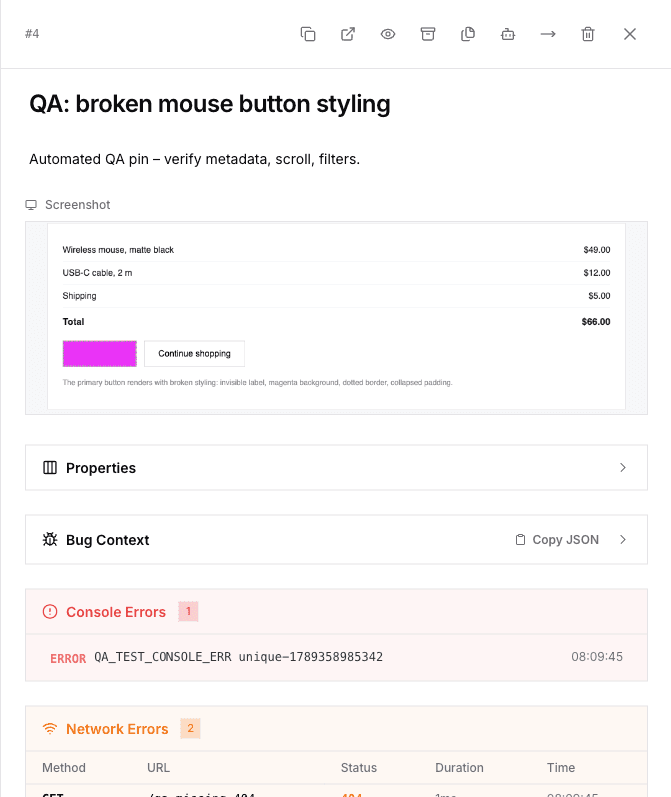
A screenshot without the page, viewport, browser state, and selected element often leaves the developer searching for the conditions again.
The work stays on one project board instead of moving between email, chat, and spreadsheets.
Create a team and project, then install the widget or use the browser extension to capture issues.
Click on the problem area, write the expected result, and send the report to the board.
Assign the task, set priority and status, keep comments in context, and close the issue.
The focus is on capturing reliable context and working through the queue.
Click the element on the page and create the report at the exact location.
The report includes the page, viewport, browser metadata, selector, and available browser diagnostics.
Move issues through custom columns, assign owners, set priority, and keep discussion in context.
Read and create issues from scripts, internal tools, or an MCP client using scoped tokens.
PixelFixer exposes a REST API, webhooks, and an MCP server. Create a scoped token in Settings → API Tokens and connect your assistant to the project.
Works with editors and assistants that support MCP. Each token acts with your permissions and project scope.
Read the MCP setup guide{
"mcpServers": {
"pixelfixer": {
"command": "npx",
"args": [
"-y",
"@mudravaorg/mcp-server"
],
"env": {
"PIXELFIXER_API_URL": "https://pixelfixer.mudrava.com",
"PIXELFIXER_API_TOKEN": "pf_your_token"
}
}
}
}Start with the Free plan and increase limits when the team needs them.
For a small team evaluating the workflow.
$0 /month
0 per year
For a team with several active projects and regular QA.
$19 /month
159 per year
Paid plans are being rolled out. Request early access and we'll email you at launch.
For organizations that need larger limits and a direct agreement.
$49 /month
419 per year
Paid plans are being rolled out. Request early access and we'll email you at launch.
Create an account, create a team and project, then connect the widget or extension. You can also create reports through the API.
The embeddable widget, the browser extension, manual entry in the dashboard, API requests, and MCP clients.
Page URL, screenshot, viewport, browser and OS metadata, selected element, plus console or network data when it is available in the capture context.
Yes. Internal comments and project permissions keep team discussion separate from external feedback.
Plan limits apply to the team's current plan. Projects, members, tasks, storage, and API capacity are enforced from the plan configuration.
The service is hosted and operated by MUDRAVA on our own infrastructure. A self-hosted deployment is not offered.
Create an account and connect the first website to see how reports turn into work.